 Yosua Ian Sebastian
 My First Pi-hole
I bought my first Raspberry Pi at 2015, it was model 2. I was an idealist and foolish college freshman at the time. Things happened, and fast forward 7 years later, my Pi was collecting dust. And here I am thinking want I want to do over the new year break. So, as a QoL improvement to my home network, it might be nice to have a Pi-hole.
I’m surprised the SD card is still alive and it’s still running 2018’s version Raspbian. Hardware also looks good, so I proceed to nuke the SD card and install the latest OS. Seems like Raspbian is no longer a thing, they have Raspberry Pi OS now1.
It didn’t even take 3 hours to get everything running and working. I expected it to take a lot more time as I’m setting this up while having lunch.
- Raspberry OS download and write to SD (30 mins)
- They have official imaging utility now, downloading the image and writing it to the SD card is a breeze now2.
- My internet speed sucks though, so the download still take some time.
- Setup static IP for the Pi (needed for Pi-hole) (10 mins)
- I hate the built-in interface of the ISP provided router with passion (it’s Huawei from IndiHome BTW). It is sluggish and hard to navigate.
- Install and set-up Pi-hole on the Pi (20 mins)
- Pi-hole has install script, and that really helps saving some time3. Yes, running unknown script from the internet is dangerous, I understand the risk.
- Finding admin account for my ISP provided router (10 mins)
- I just realized the admin user that I use cannot be used to change the DNS server settings.
Google here I go.
Thankfully I found an user I can use real quick, it’s
telecomadmin4.
- I just realized the admin user that I use cannot be used to change the DNS server settings.
Google here I go.
Thankfully I found an user I can use real quick, it’s
- Change default DNS server to Pi-hole in the home router (5 mins)
- Test everything is working (60 mins and counting)
So far it’s working great!
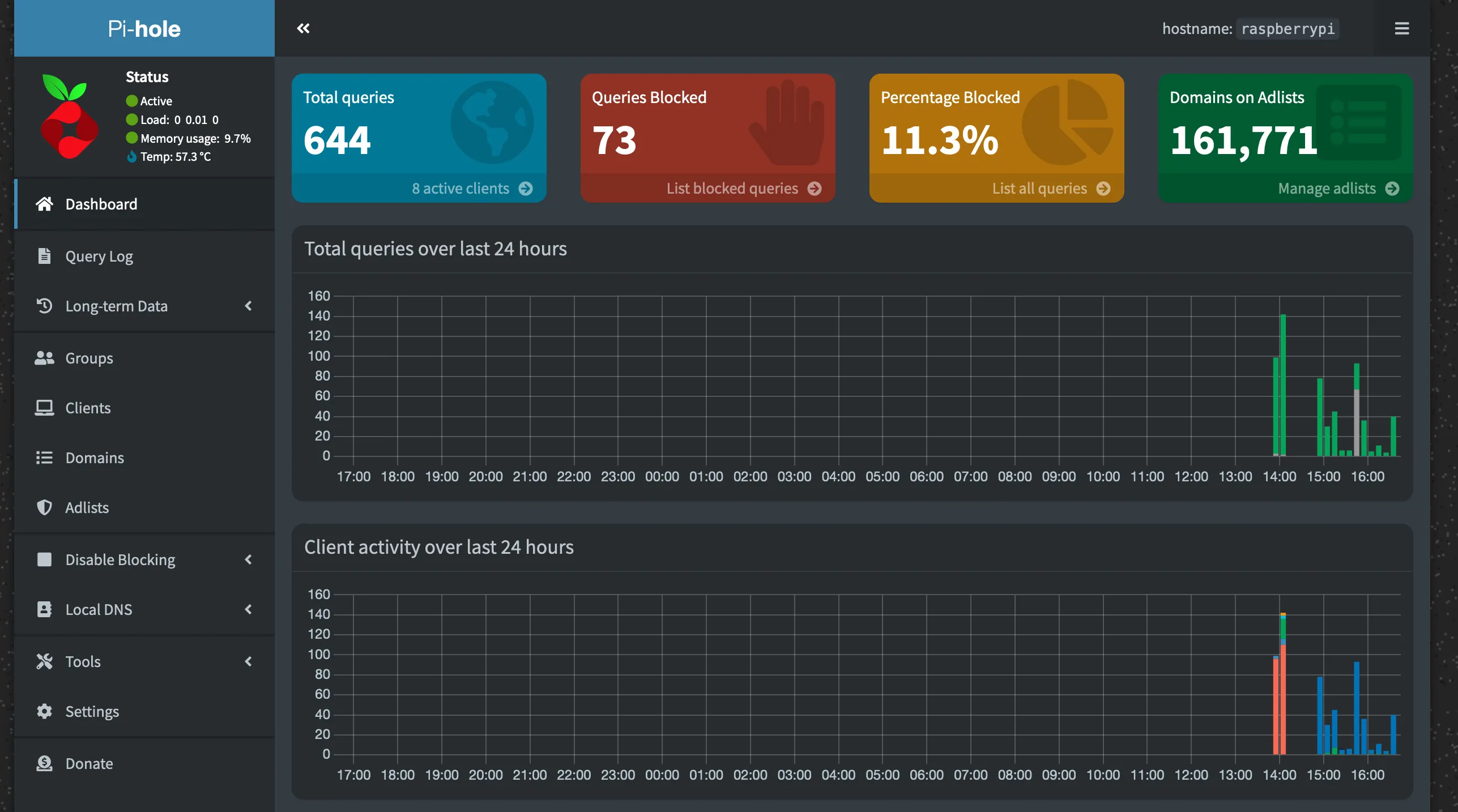
I'm feeling happy when looking at the queries blocked number going up.
I still need to figure out some things though:
- Why some query didn’t go through Pi-hole?
- How do I back up the SD card? The 7 y.o. SD card won’t last forever.
- Can I lower the Raspbian temperature? Making it sit in on top of a running router does not help at all.
- Do I need to set up HTTPS for the console?
- Should I set up my VPN to use Pi-hole as the DNS server? I’m already using Tailscale for VPN and the Pi is connected to it. Maybe I’ll have an answer after running Pi-hole for a month or so. Tailscale also have official guide here, so this should be a supported use case.
- Should I set up unbound?
Some blog posts that I found useful while setting up Pi-hole:
- “Mmm… Pi-hole…” by Troy Hunt
- “Catching and dealing with naughty devices on my home network” by Scott Helme
- “The World’s Greatest Pi-hole (and Unbound) Tutorial 2023” by Crosstalk Solutions
Post 6 of #100DaysToOffload.